A great picture on game night depends on the weakest link in a chain you rarely think about: the internet plan, the router in the hallway closet, the cable (or lack of one) behind the TV, the streaming device, and even the soundbar. A strong home streaming setup in Canada is not about buying the most expensive gear. It is about getting each layer right, in order.
This guide walks through those layers one at a time, from the connection coming into your home to the speakers under the screen, then shows how to lay out a multi-room setup for a busy household. Whether you live in a Toronto condo, a split-level in Surrey or a farmhouse outside Saskatoon, the same principles apply.
Home Streaming Setup in Canada: Plan Before You Buy
Before touching a cable, answer four quick questions. They will guide every choice that follows.
- How many screens stream at the same time? One TV in the evening is very different from four people on four devices during a snow day.
- What do you watch most? Live sports in 4K ask more of your network than news or sitcoms in FHD.
- Where are the TVs compared with the router? Distance, floors and walls matter more than raw internet speed.
- Who will use it? A setup for teenagers can be more technical than one for grandparents who just want the news at six.
Write the answers down. You will come back to them at each step.
Layer 1: The Right Internet Plan
Your internet plan is the foundation. You do not need the fastest tier on the market, but you do need enough stable bandwidth for everyone who watches at once.
| How you watch | Comfortable speed | Notes |
|---|---|---|
| One screen, FHD | 10 Mbps steady | Stability matters more than peak speed |
| One screen, 4K | About 25 Mbps | Ideal for big-screen sports |
| Two or three screens at once | 50 Mbps or more | Leaves room for phones and video calls |
| Busy family, several 4K TVs | Higher tiers, fibre if available | Also check upload if people work from home |
Most plans from Rogers, Bell, Telus, Vidéotron and regional providers exceed these figures in cities. In rural areas, run a test on a neutral tool such as Speedtest at 8 p.m., when networks are busiest, rather than at noon.
Tip: if your speed test looks great but streams still stutter in the evening, the issue is often inside the house (Wi-Fi coverage, an old router), not the plan itself.
Layer 2: Router Placement and Wi-Fi
The router is the most underrated part of any home streaming setup. Many Canadian homes still use the one the ISP installed years ago, often tucked in a basement corner or a metal cabinet.
Put the Router Where the Signal Can Travel
- Central and elevated: a shelf in the middle of the house beats the floor of the utility room.
- Out of cabinets: wood and especially metal enclosures block signal.
- Away from interference: microwaves, cordless phones and thick concrete walls weaken Wi-Fi.
Use the Right Wi-Fi Band
- 5 GHz for streaming devices close to the router: faster and less crowded.
- 2.4 GHz for distant rooms or smart-home gadgets: longer range, lower speed.
- In a condo tower with dozens of neighbouring networks, 5 GHz makes an especially big difference.
Upgrade When It Makes Sense
If your router is several years old, a Wi-Fi 6 or newer model can improve both speed and stability. For two-storey houses or homes with a finished basement, a mesh system with two or three units spreads strong coverage to every floor.
Layer 3: Wired Connections Where They Count
Wi-Fi is convenient. Wires are dependable. The best setups use both, with wires for the screens that matter most.
- Ethernet cable: the gold standard. Connect your main TV or streaming box directly to the router or a mesh unit. A flat cable along the baseboard is barely visible.
- Ethernet adapter for sticks: many streaming sticks, including the Fire TV Stick, accept an adapter that adds a wired port.
- Powerline adapters: send network signal through your home's electrical wiring. Handy when running a cable through walls is not realistic.
- Coax-based adapters: in older homes that already have coaxial outlets from the cable days, these can reuse that wiring for networking.
On a Saturday with several NHL games in 4K, the difference between Wi-Fi from two floors away and a wired connection is often the difference between frustration and a smooth night. For more on this, see our guide on fixing IPTV buffering.
Layer 4: Choosing Your Streaming Devices
The device turns your internet into a picture. IPTV North works on a wide range of hardware, so you can mix and match.
| Device | Best for | 4K | Ease of use |
|---|---|---|---|
| Fire TV Stick (4K models) | Most living rooms, easy setup | Yes | Very easy |
| Android TV / Google TV box | Sports fans who want the TiviMate guide | Yes | Easy |
| Smart TV apps (Samsung, LG, Android TVs) | Fewer cables and remotes | Yes, model-dependent | Easy |
| Apple TV | Homes already using iPhone and iPad | Yes | Easy |
| MAG, BuzzTV, Formuler boxes | A dedicated, cable-like box | Model-dependent | Easy |
| iPhone, iPad, Android phones | Kitchen, bedroom, travel | Screen-dependent | Very easy |
| Windows and Mac computers | Home office, dorm room | Screen-dependent | Easy |
| Roku | Existing Roku homes | Via a workaround | Moderate |
Not sure which player app to install? Our guide to the best IPTV apps for Smart TVs goes brand by brand.
A practical rule: if a Smart TV's built-in apps feel slow, add a streaming stick. It is a one-time purchase and usually makes an older TV feel new again.
Layer 5: Sound That Matches the Picture
Thin TV speakers struggle with crowd noise at the Bell Centre or the roar of an action movie. Improving the sound is one of the cheapest upgrades with the biggest impact.
- Soundbar: the simplest step up. Many include a wireless subwoofer for fuller bass.
- HDMI ARC or eARC: connect the soundbar to the TV's ARC or eARC port so one remote controls the volume, and your streaming device sends audio through the TV.
- Lip-sync settings: if voices seem slightly off, adjust the audio delay in the TV or soundbar menu.
- Night mode: many soundbars compress loud peaks so late movies do not wake the kids.
- Headphones: a Bluetooth headset paired to a streaming box is perfect for early-morning games from another time zone.
Layer 6: A Multi-Room Home Streaming Setup
Once the main TV is sorted, extend the setup room by room. Here is a sample layout for a typical Canadian family home.
Living room (main screen). 4K TV, wired streaming device or Android TV box, soundbar on eARC. This is where live sports and movie nights happen.
Basement rec room. Often the furthest point from the router. Use a mesh unit or Powerline adapter, and a Fire TV Stick on the TV. Ideal for the kids' friends during a snow day.
Bedrooms. A Smart TV app or a small stick is enough. FHD is usually plenty on smaller screens.
Kitchen. A tablet or phone on a stand for morning news and weather.
Home office. A browser or desktop app on Windows or Mac for a game in a corner of the screen.
Cottage or trailer. Pack the stick in your bag. As long as there is decent internet, your lineup comes along.
Remember that IPTV North's listed plans are for one device at a time. If several people will watch at once in different rooms, contact support about options for extra connections before setting up every screen.
Adding IPTV North to Your Setup
With the network and devices ready, the content part takes minutes.
- Start the 24-hour trial. The 24-hour trial costs $2.99, paid by Interac e-Transfer.
- Check your email. Your login details arrive right away.
- Install a player on your chosen device. The installation guide covers each one.
- Sign in and build favourites. TSN, Sportsnet, CBC, TVA, RDS, local news: put them at the top.
- Test at your busiest hour. Watch a live game in the evening on your main TV to confirm everything holds up.
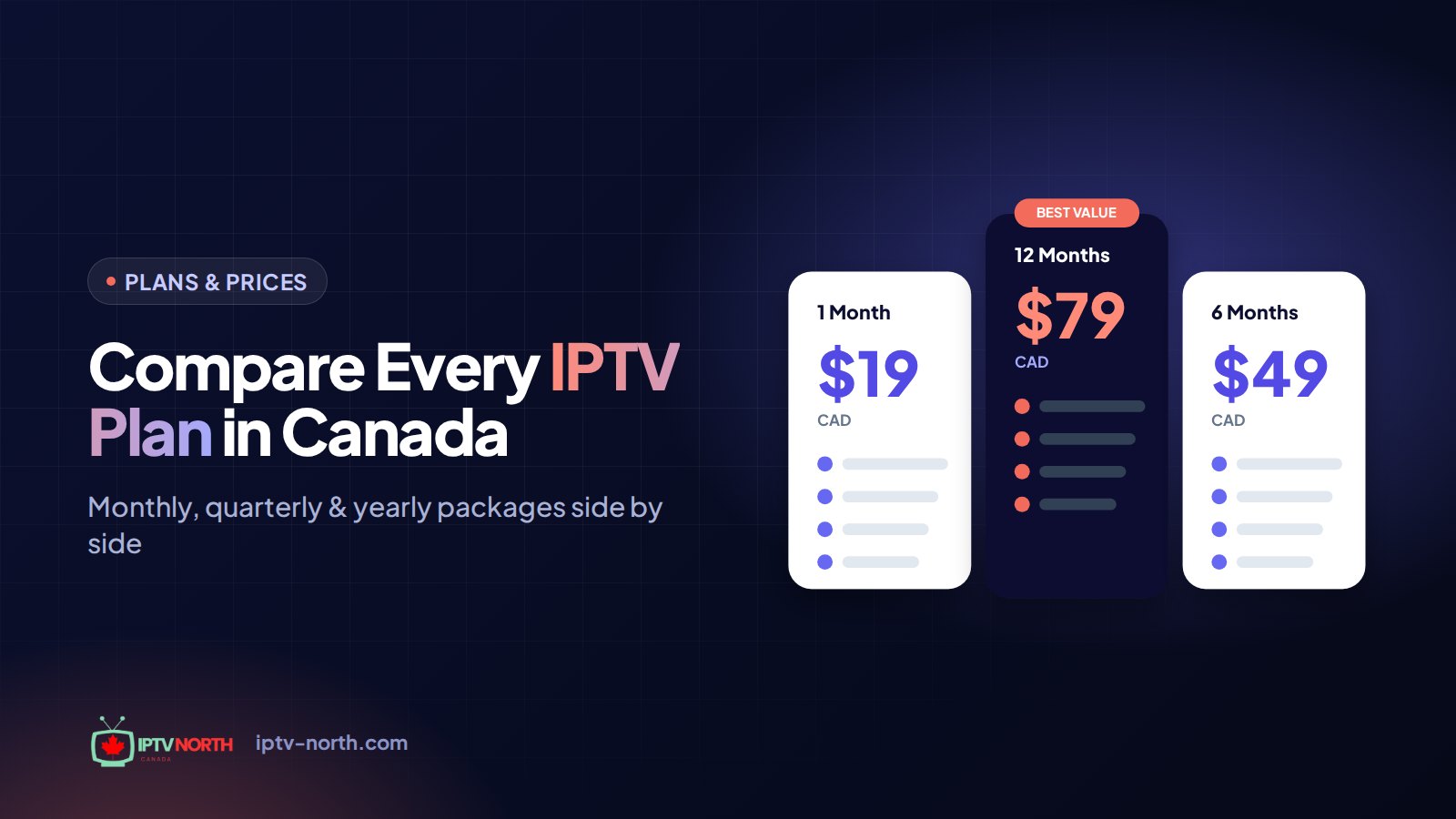
Once you are happy, choose a plan (prices in CAD, one device):
| Plan | Price | Good for |
|---|---|---|
| 1 month | $19 | Trying a full month of real use |
| 3 months | $29 | A hockey season stretch or a long winter |
| 6 months | $49 | Half a year with no renewals to think about |
| 12 months | $79 | The lowest cost per month |
Every plan includes 25,000+ live channels, 120,000+ movies and series, 4K and FHD streams, no contract, Interac e-Transfer payment and Canadian support 24/7 by chat and at service@iptv-north.com. Full details are on the pricing page.
A Simple Maintenance Routine
A good setup stays good with a few minutes of care.
- Weekly: restart the main streaming device.
- Monthly: clear the cache of your IPTV player and install app updates.
- Every few months: restart the router and check that firmware is up to date.
- Before big events: test your main TV the day before a playoff game or a Grey Cup.
- Once a year: run an evening speed test and compare it with your plan. If speeds have dropped, call your ISP.
Frequently Asked Questions
What is the single most important part of a home streaming setup?
A stable connection to your main TV. For most homes, that means a wired Ethernet link or a strong mesh node near the screen. It solves more problems than a faster internet plan.
Do I need a new router to stream IPTV?
Not always. If your current router covers the house well and your main TV is wired, it may be fine. If it is several years old or the signal is weak in some rooms, a newer Wi-Fi model or a mesh system is a worthwhile upgrade.
Is Wi-Fi good enough for 4K streaming?
It can be, on the 5 GHz band with the device close to the router. For live 4K sports, a wired connection or Powerline adapter is more reliable, especially in condos with many competing networks.
Which device should I use on an older TV?
A Fire TV Stick or an Android TV box plugged into an HDMI port is the easiest option. Both run popular IPTV players and support 4K on compatible models.
Can the same subscription be used in several rooms?
The listed IPTV North plans cover one device at a time. You can install the player on different devices, but only one streams at once; for simultaneous viewing in several rooms, ask support about extra connections.
Should I use a VPN in my streaming setup?
Most people do not need one. It can help if your ISP slows video in the evening. Read our guide on whether a VPN is needed for IPTV in Canada before adding one.
Your Home Streaming Setup in Canada, Layer by Layer
A reliable home streaming setup in Canada comes down to six layers: a suitable internet plan, a well-placed router, wires where they count, the right devices, better sound, and a thoughtful layout for every room. Get those right and live hockey in 4K, a Friday movie and the morning news all run smoothly, winter storm or not.
Once the hardware is in place, add the content: try IPTV North for 24 hours for $2.99, test it on your main screen during a live game, and pick the plan that suits your household.